

Dashboard
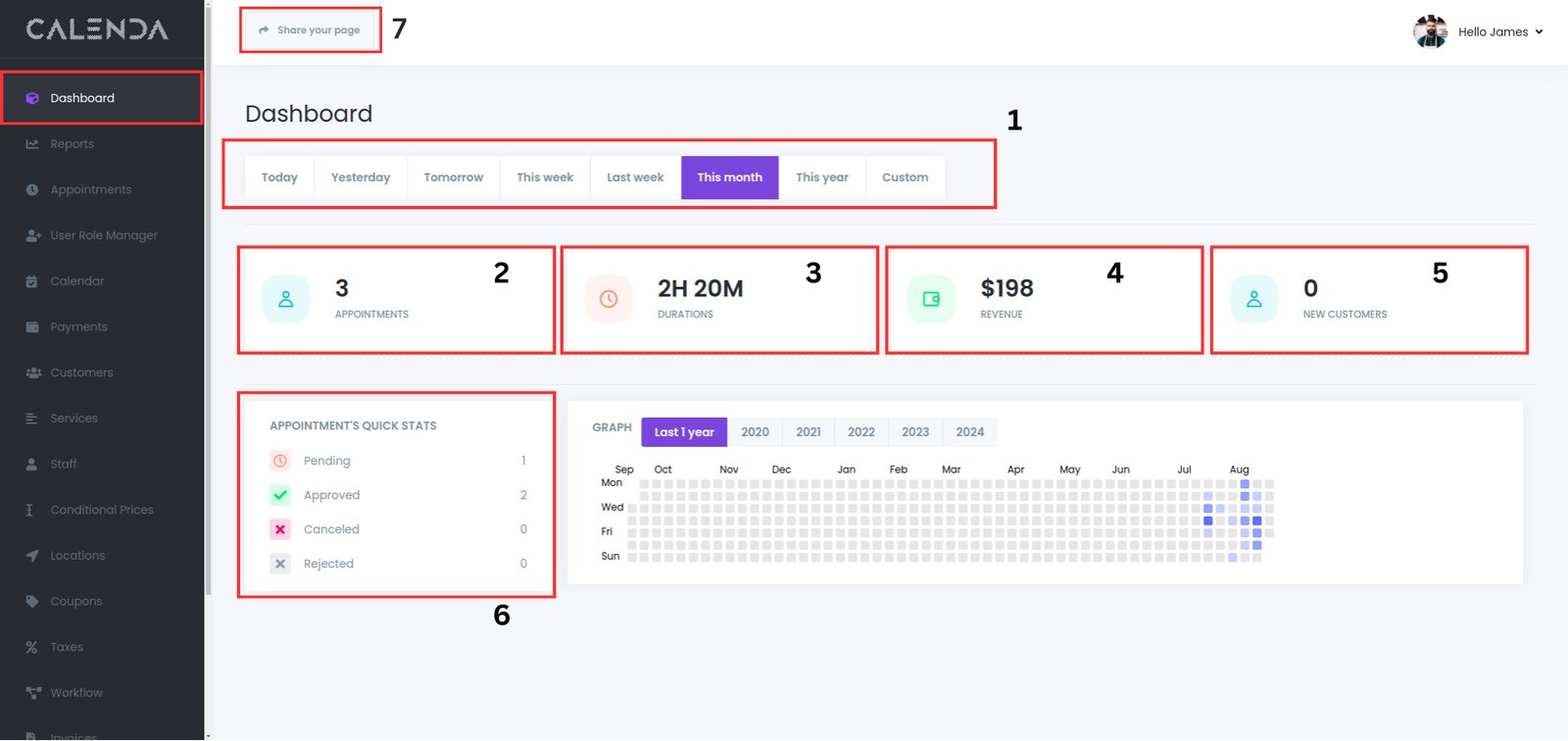
- Date Range Selector: This section allows the user to filter data by various time periods, such as today, yesterday, tomorrow, this week, last week, this month, this year, or a custom range.
- Appointments: Displays the total number of appointments booked within the selected date range.
- Durations: Shows the total duration of all appointments scheduled during the selected time frame.
- Revenue: Indicates the total revenue generated from the appointments.
- New Customers: Reflects the number of new customers acquired within the selected time period.
- Appointments’ Quick Stats: Provides a summary of appointment statuses such as:
- Pending: Appointments awaiting approval.
- Approved: Appointments confirmed.
- Canceled: Appointments canceled by the customer or business.
- Rejected: Appointments declined by the business.
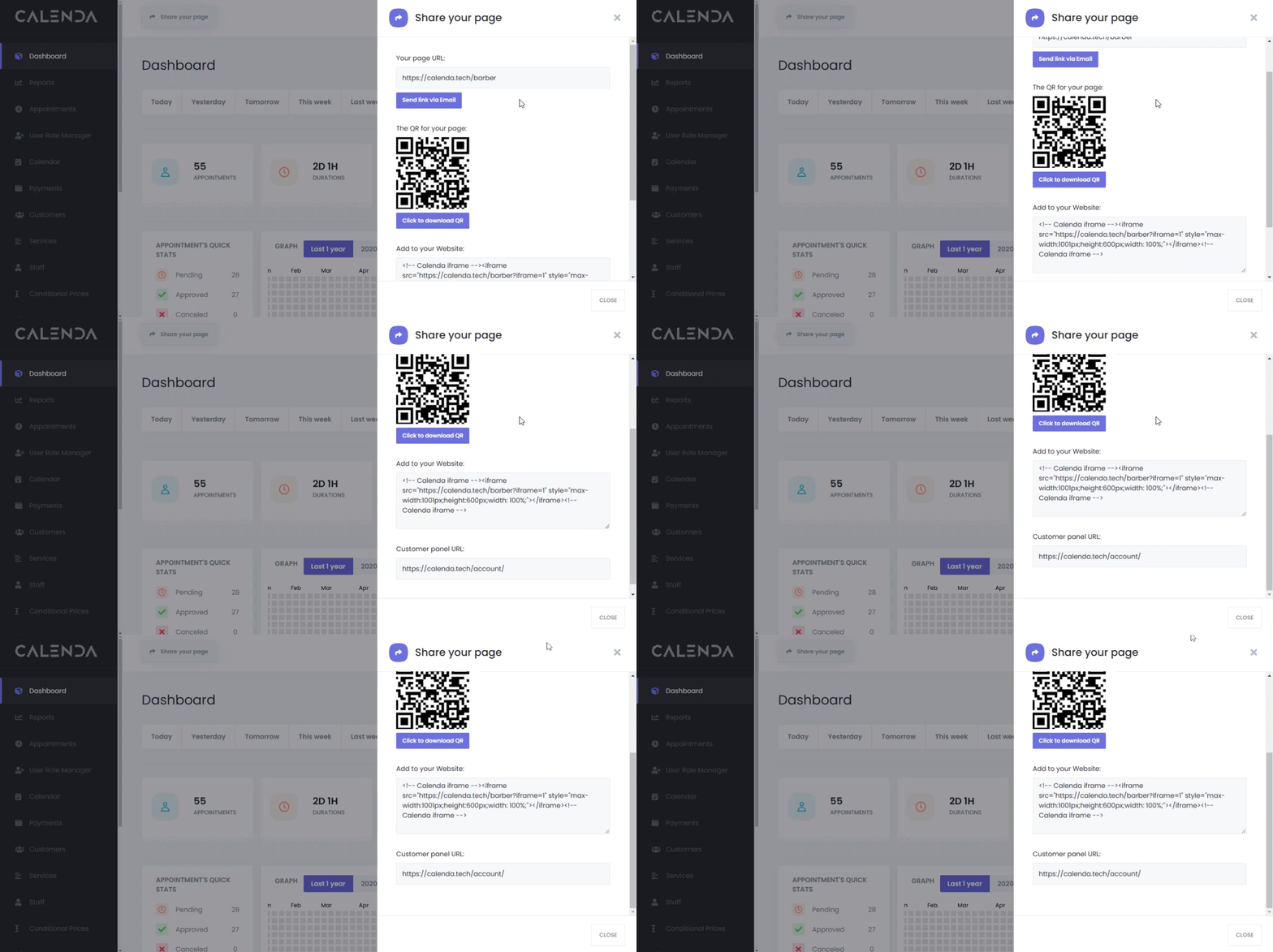
- Share Page: You can share your booking panel in different ways
- Send via email/copy the link of your booking panel.
- Scan the QR code.
- Embed the booking panel into your website – copy and paste the iFrame code into your website.
- Customer panel URL – for your customers to login to their dashboard.
Was this article helpful?